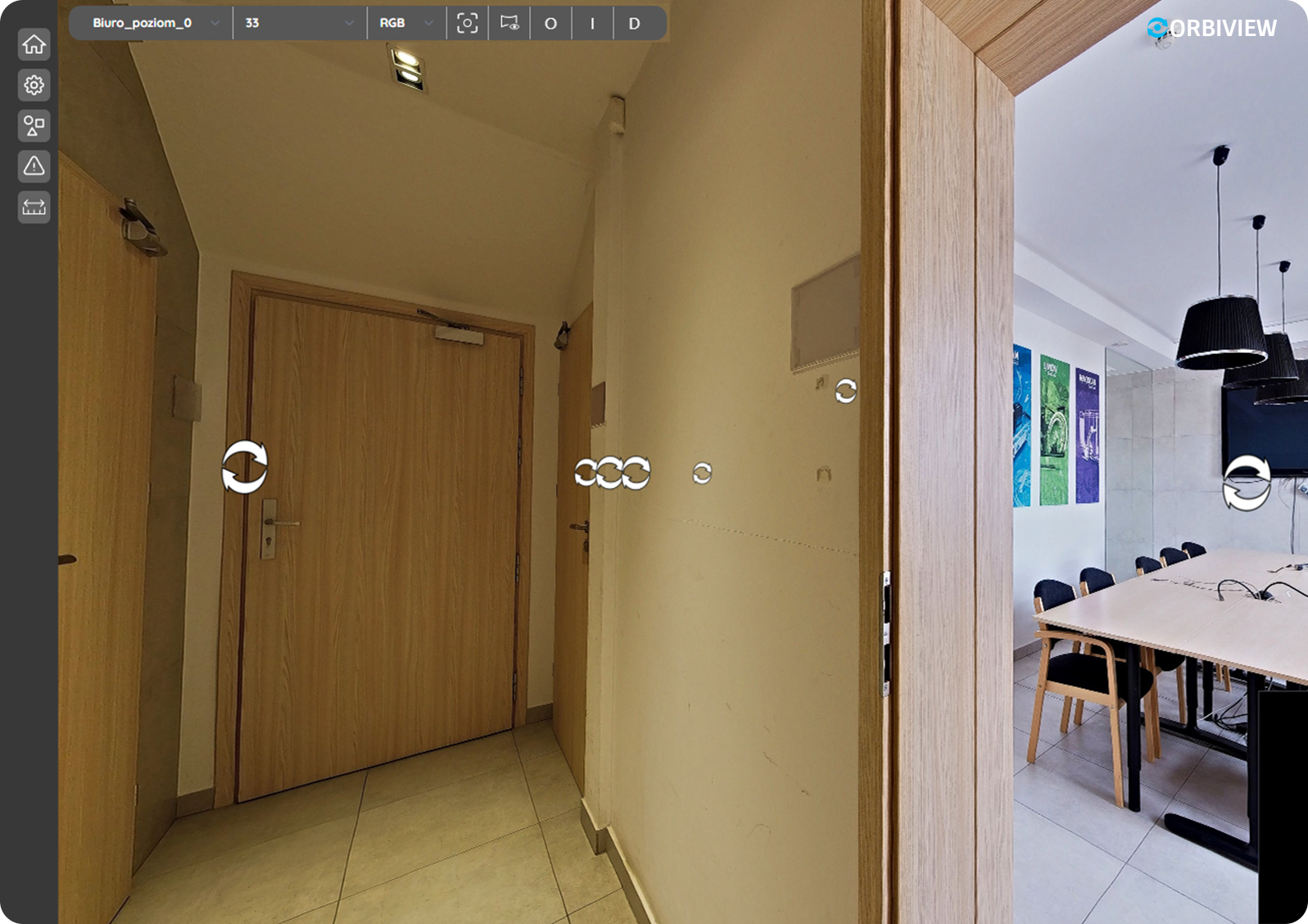
OrbiView turns real-world spaces into interactive, data-rich environments. Using 360° panoramas and LiDAR data, it enables precise measurements, asset tracking, and issue management directly in context. Everything you need to understand and manage your assets—visually and intuitively.

1. OrbiView – Visual Asset Management Platform
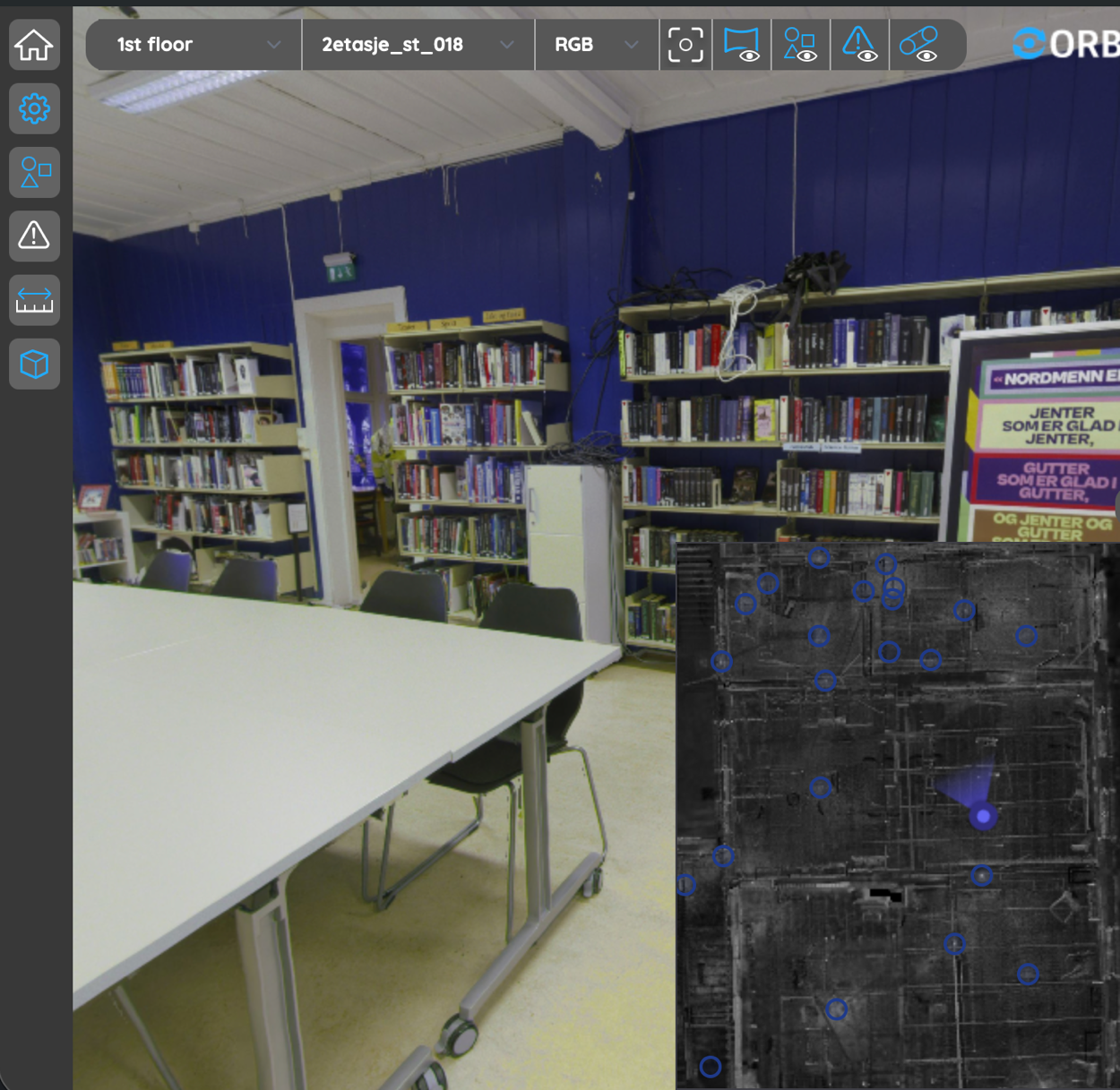
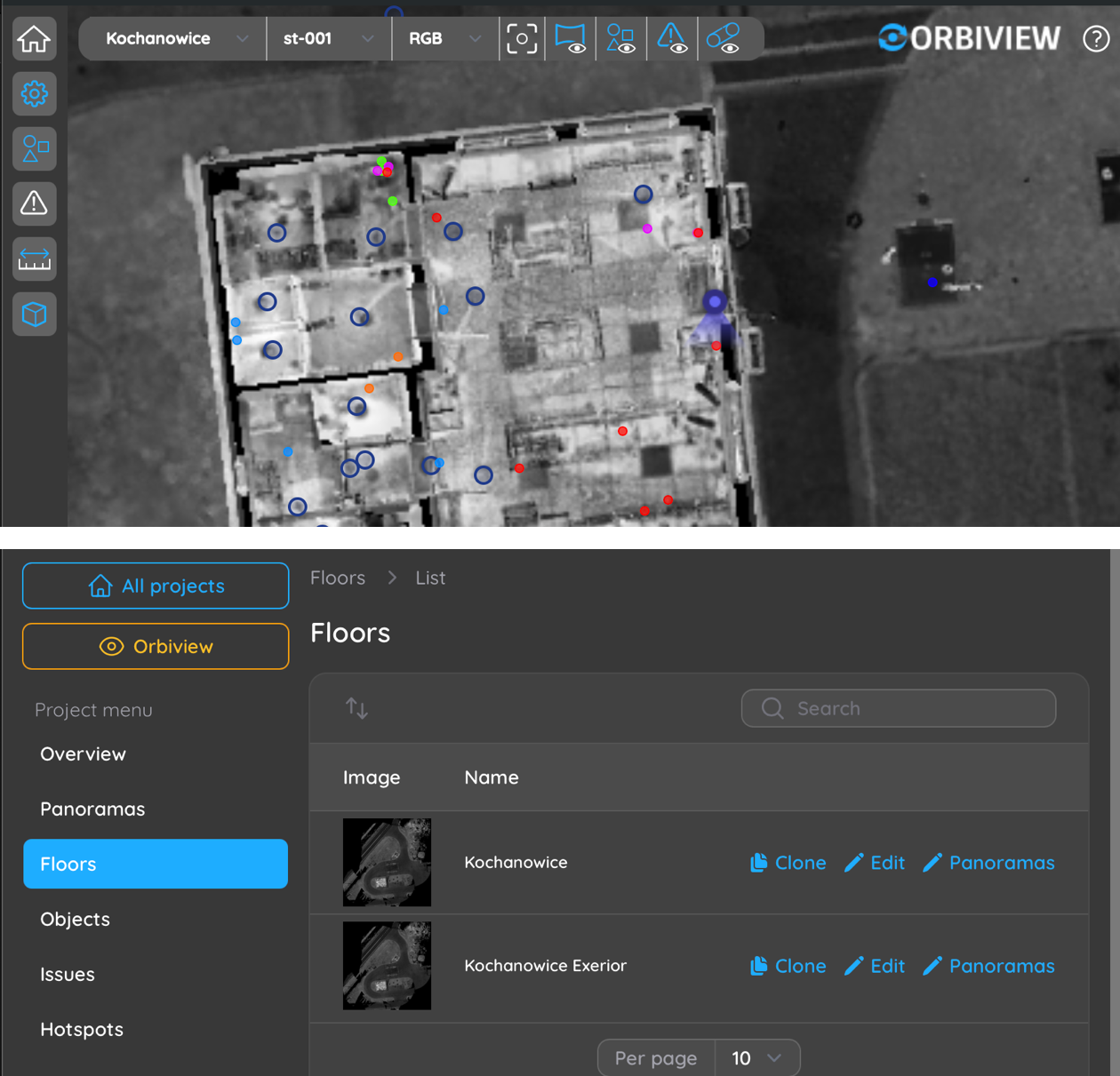
OrbiView is a visual asset management platform built to support building and facility management by transforming complex reality-capture data into an intuitive digital environment. By combining metrically accurate 360° panoramas with LiDAR-derived spatial data, the platform creates a reliable visual reference of the buildings that reflects real conditions rather than design intent. Facility managers gain immediate insight into layouts, installations, and asset locations without navigating complex BIM software or interpreting abstract drawings.

From a building management perspective, OrbiView significantly reduces the gap between documentation and reality. It allows teams to remotely assess conditions, verify spatial constraints, and understand technical environments before planning maintenance, refurbishments, or inspections. This leads to fewer site visits, faster decision-making, reduced dependency on specialist roles, and better coordination across operational, technical, and management teams throughout the building’s lifecycle.

2. User Management and Access Control
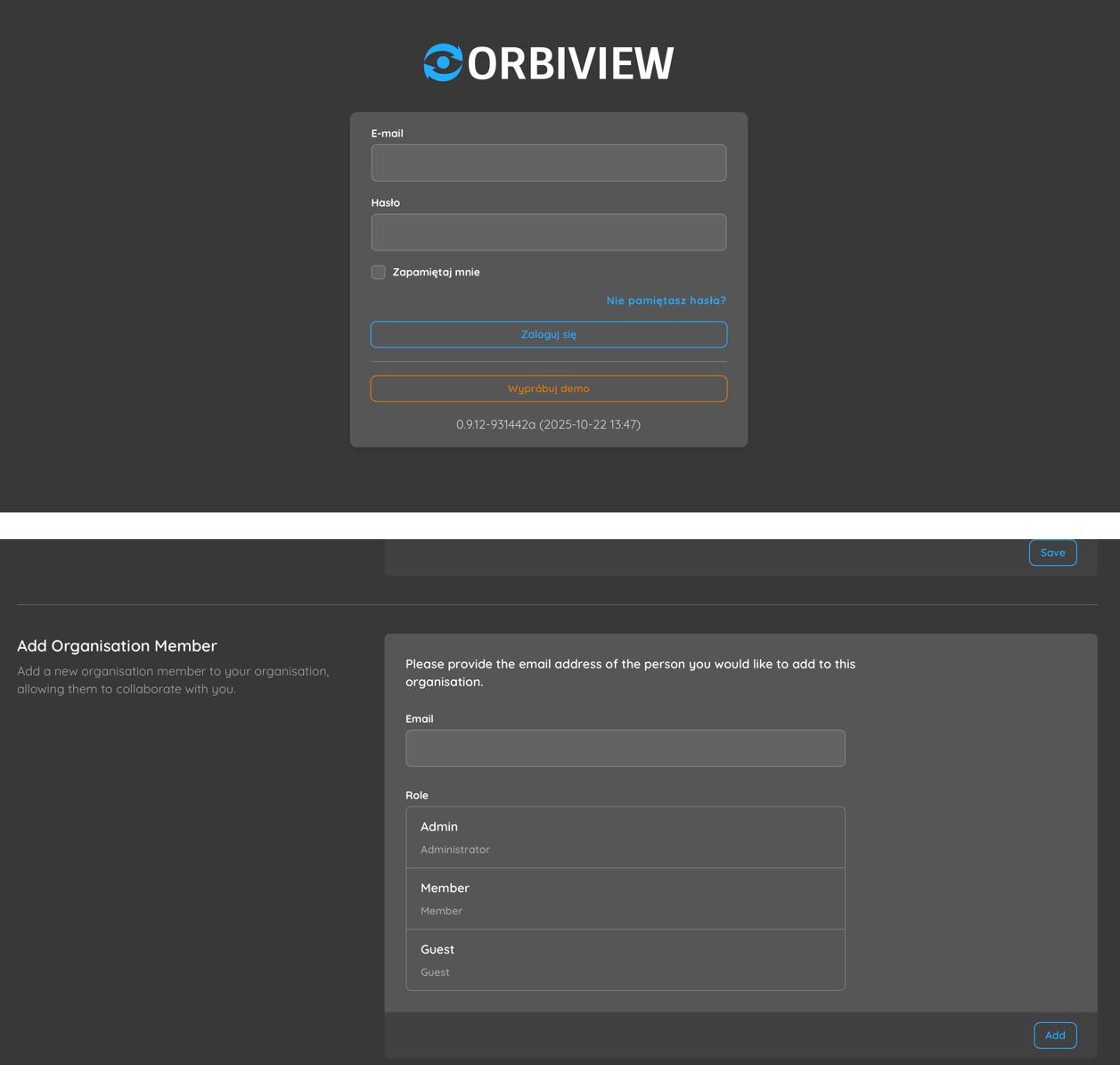
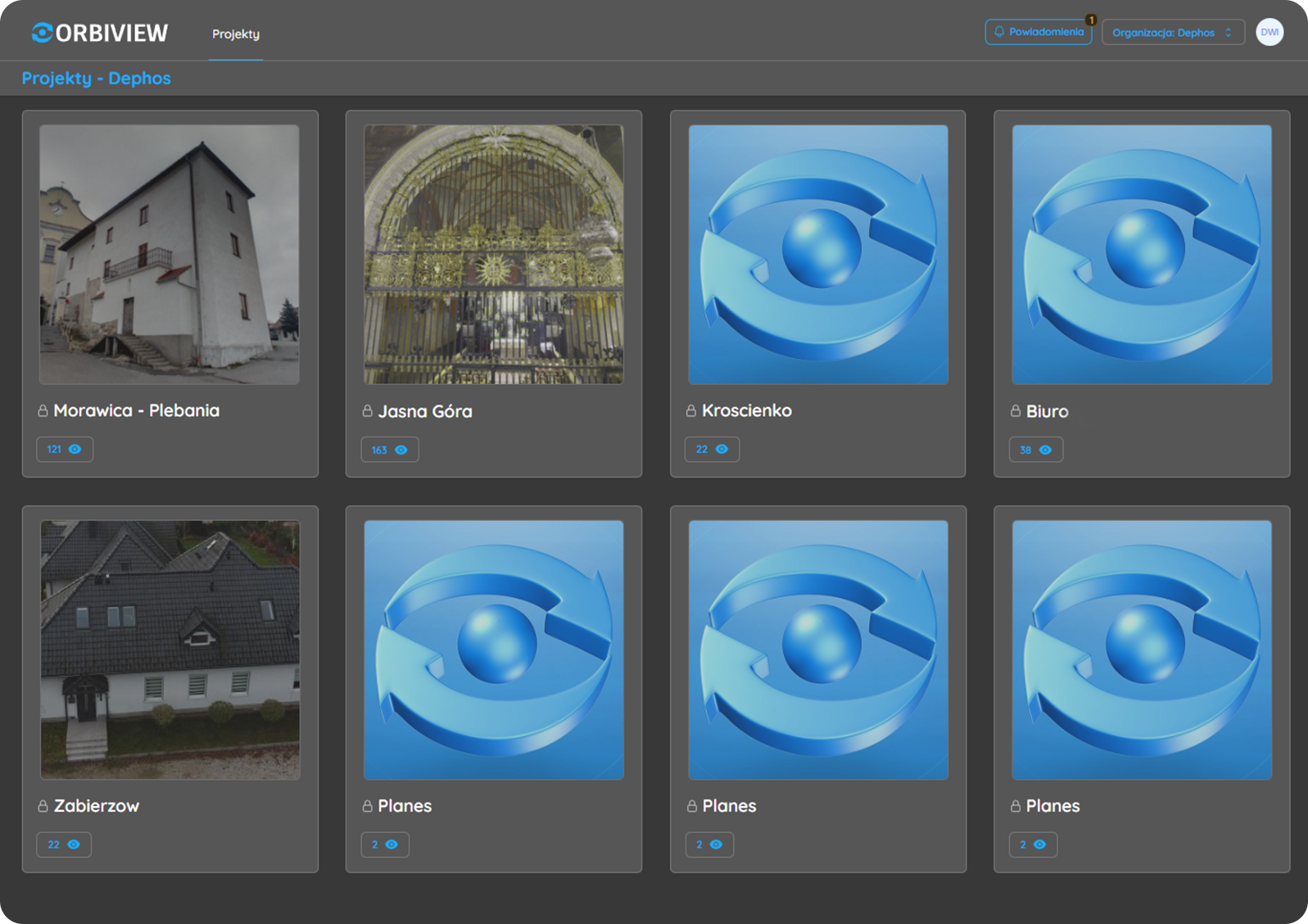
OrbiView includes a comprehensive user and permission management system designed for multi-stakeholder building operations. Users are grouped into organizations and assigned to projects with clearly defined roles, ensuring that facility managers, technicians, contractors, and external consultants each see only the information relevant to their responsibilities. This structure supports controlled collaboration while maintaining data security and operational clarity.

For building owners and facility managers, this approach ensures governance without limiting usability. All user actions are logged and traceable, providing transparency and accountability for changes, inspections, and issue handling. This is particularly valuable in regulated environments, outsourced maintenance models, or large portfolios where responsibility must be clearly documented and auditable.

3. Data Input, Processing, and Outputs
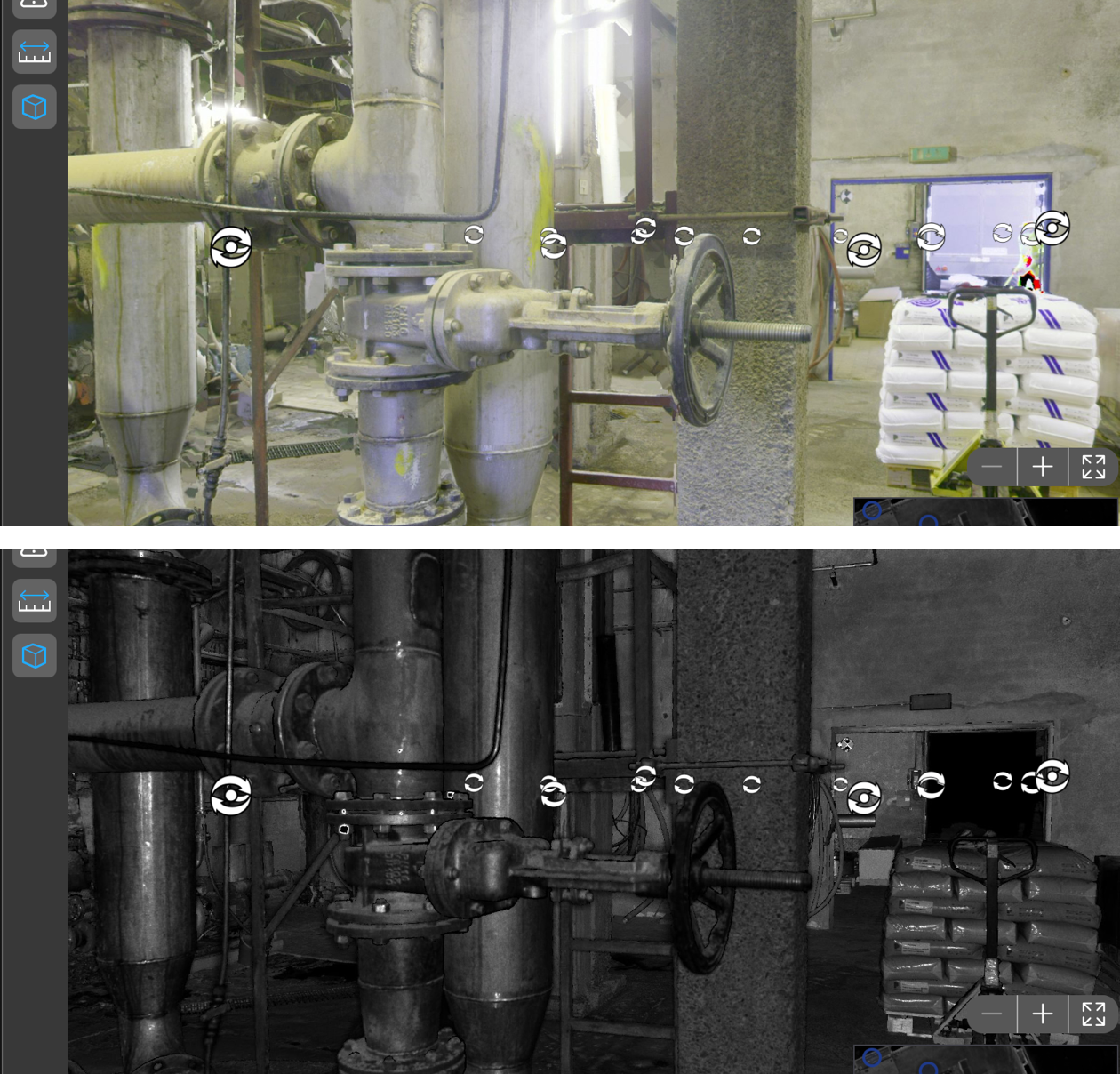
OrbiView accepts standard RGB panoramic imagery and LiDAR point clouds in mostly used formats, ensuring compatibility with common scanning workflows. These datasets are processed centrally on the server using GPU-accelerated calculations to generate optimized outputs such as aligned panoramas, depth maps, intensity images, detected planes, and automatically generated floor plans. This transformation turns raw scan data into immediately usable operational information reducing scant-to-deploy time to absolute minimum.

For building management teams, centralized processing eliminates the need for specialized local software, powerful workstations, or manual data preparation. Users access the same consistent, processed dataset through a browser-based interface, reducing IT overhead and training requirements. This approach supports scalable deployment across buildings, regions, or entire portfolios while maintaining uniform data quality.

4. Project and Spatial Organization

OrbiView structures all building data into a clear hierarchy of projects, floors, and rooms that closely mirrors how facilities are managed in real life. This organization allows users to intuitively navigate even complex buildings, such as hospitals, industrial plants, or multi-tenant office properties. Automatically generated floor plans provide immediate spatial context and act as a primary navigation layer.

For facility managers, this structure reduces time spent searching for information and improves understanding of asset distribution across spaces. It also supports portfolio-level oversight by standardizing how buildings are documented and accessed. Custom floor plans or external map services can be integrated when required, ensuring flexibility for different documentation standards or legacy systems.

5. Navigation and Virtual Access

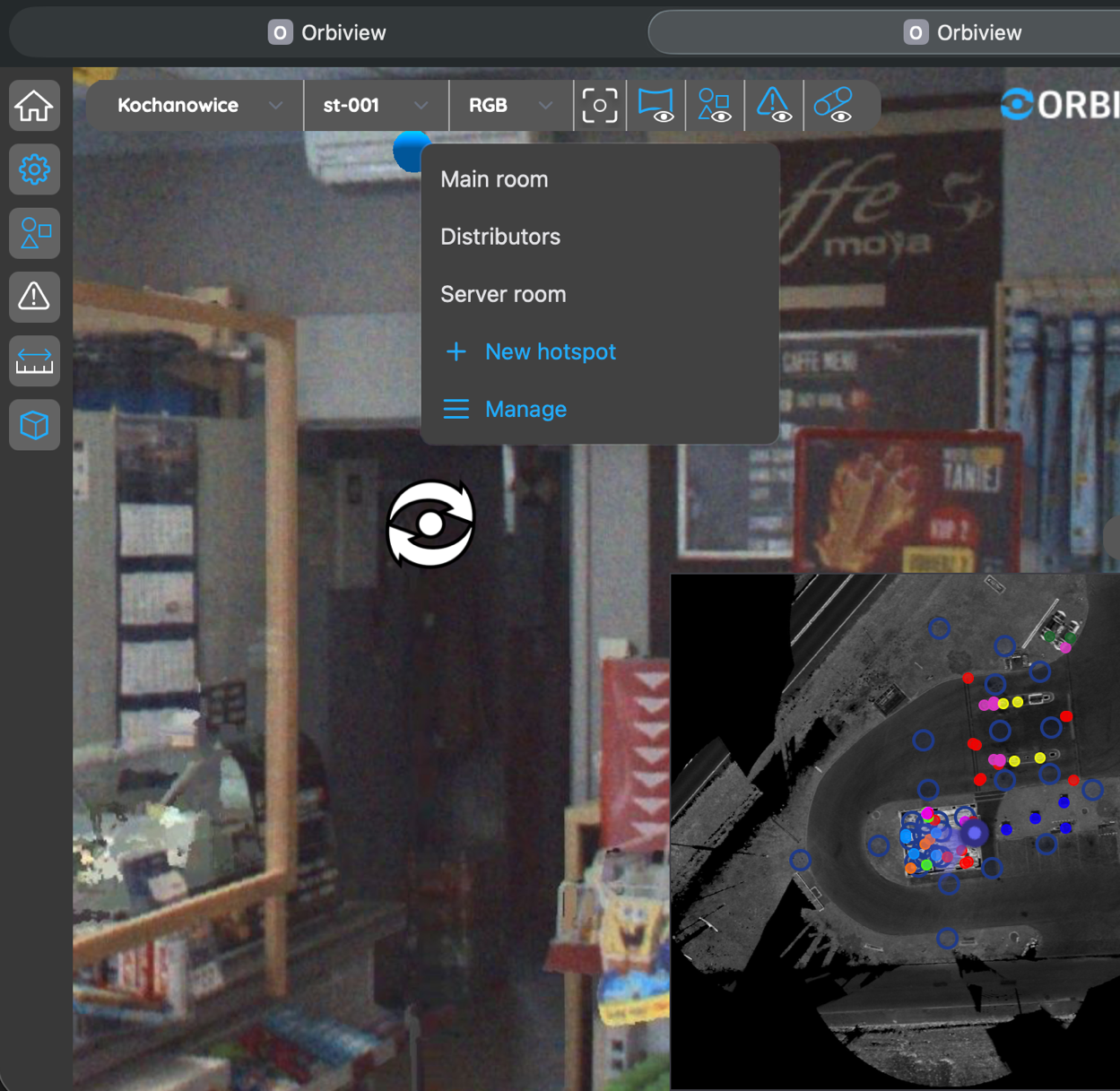
OrbiView enables seamless virtual navigation through buildings using interconnected panoramas, jump markers, and interactive floor plans. Users can move between viewpoints as if walking through the building, gaining situational awareness without being physically present. This capability supports remote inspections, onboarding of new staff, and collaboration with external stakeholders.

From management standpoint, virtual access reduces travel time, minimizes disruption to occupants, and allows quicker response to issues. Frequently used or critical locations—such as technical rooms, safety systems, or high-maintenance areas—can be saved as named hotspots, enabling instant access during routine operations or emergency situations.

6. Metric Measurements and Spatial Verification
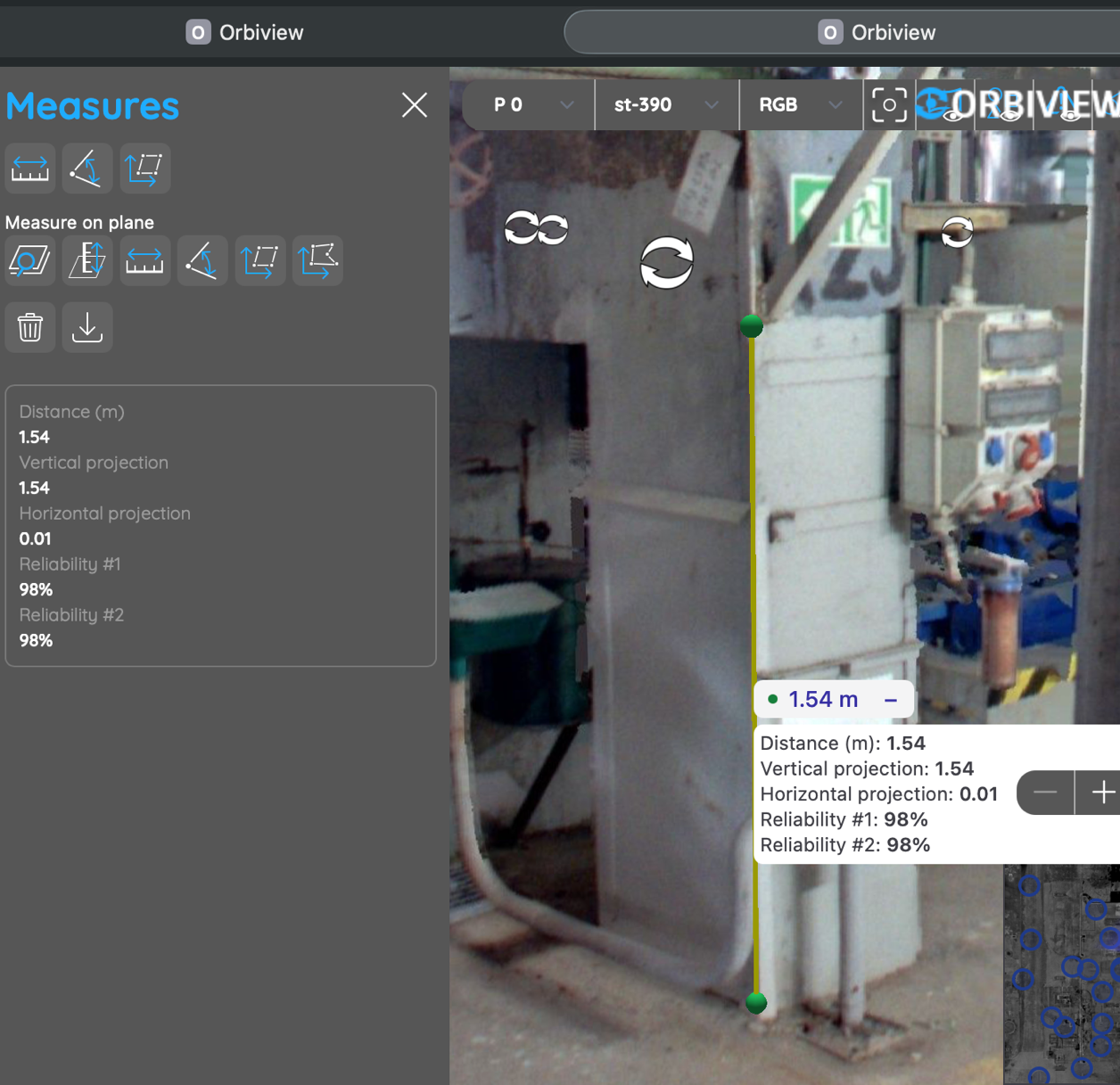
Every pixel in an OrbiView panorama is associated with an XYZ coordinate derived from the underlying point cloud, enabling accurate metric measurements directly within the visual environment. Facility teams can measure distances, heights, clearances, angles, and areas without returning to site or commissioning additional surveys. Reliability checks ensure that measurements are based on high-quality scan data.

For building management, this capability supports maintenance planning, space verification, and feasibility assessments for changes or upgrades. It reduces uncertainty during planning stages and helps avoid costly errors caused by outdated drawings or assumptions. Measurement data can be exported for documentation, contractor coordination, or further analysis.

7. Plane Detection and Advanced Measurements
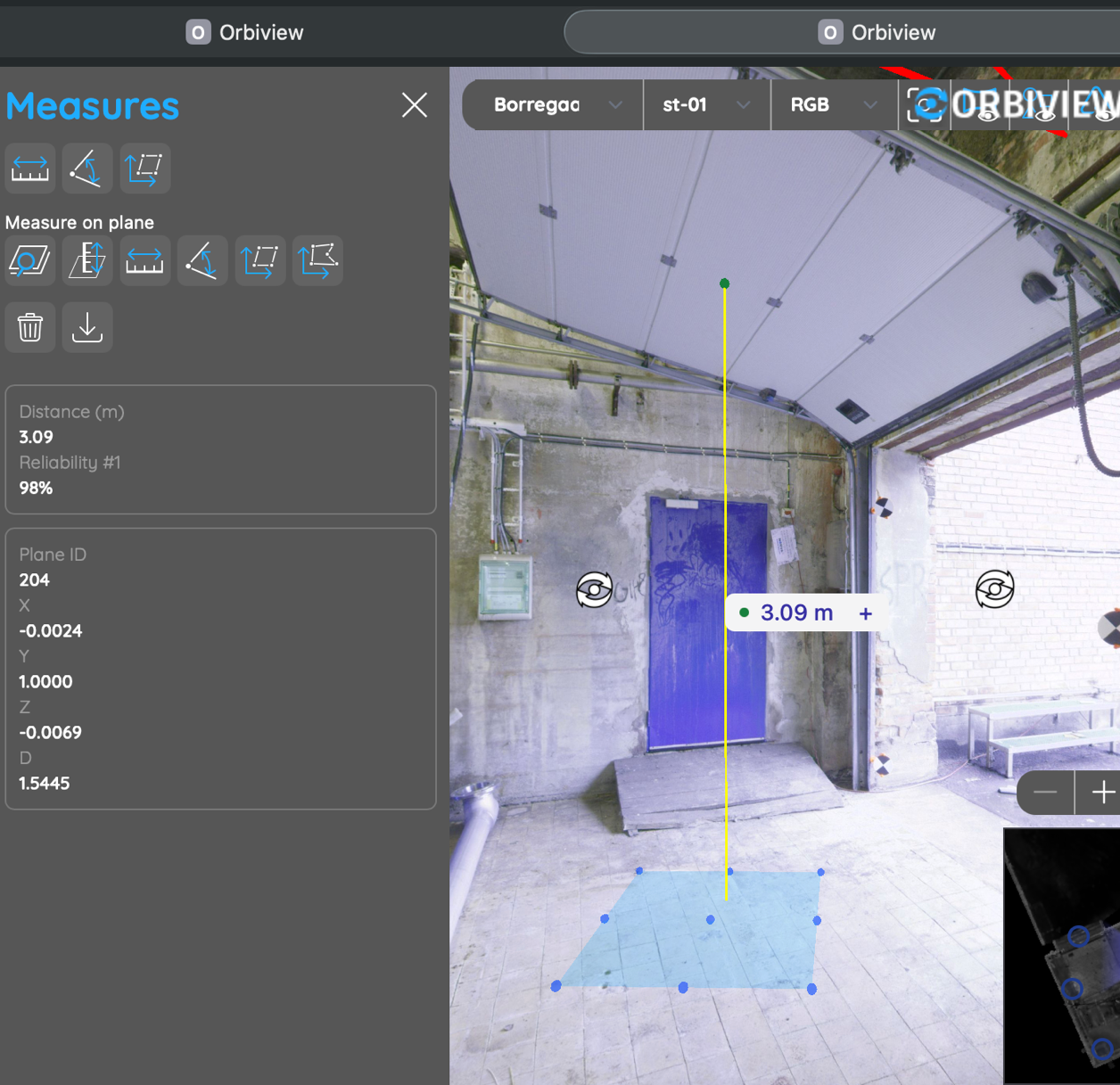
OrbiView automatically detects planar surfaces such as floors, walls, ceilings, and large flat elements during data processing. These detected planes enable advanced measurement functions, including distance to surface, surface area calculation, and angle measurement between planes. This functionality goes beyond simple point-to-point measurements.

For facility managers, plane-based measurements support tasks such as refurbishment planning, surface treatment estimation, and space optimization. It allows teams to perform preliminary analyses internally, reducing reliance on external consultants for routine calculations and improving cost control during maintenance and renovation planning.

8. Object Creation and Asset Representation
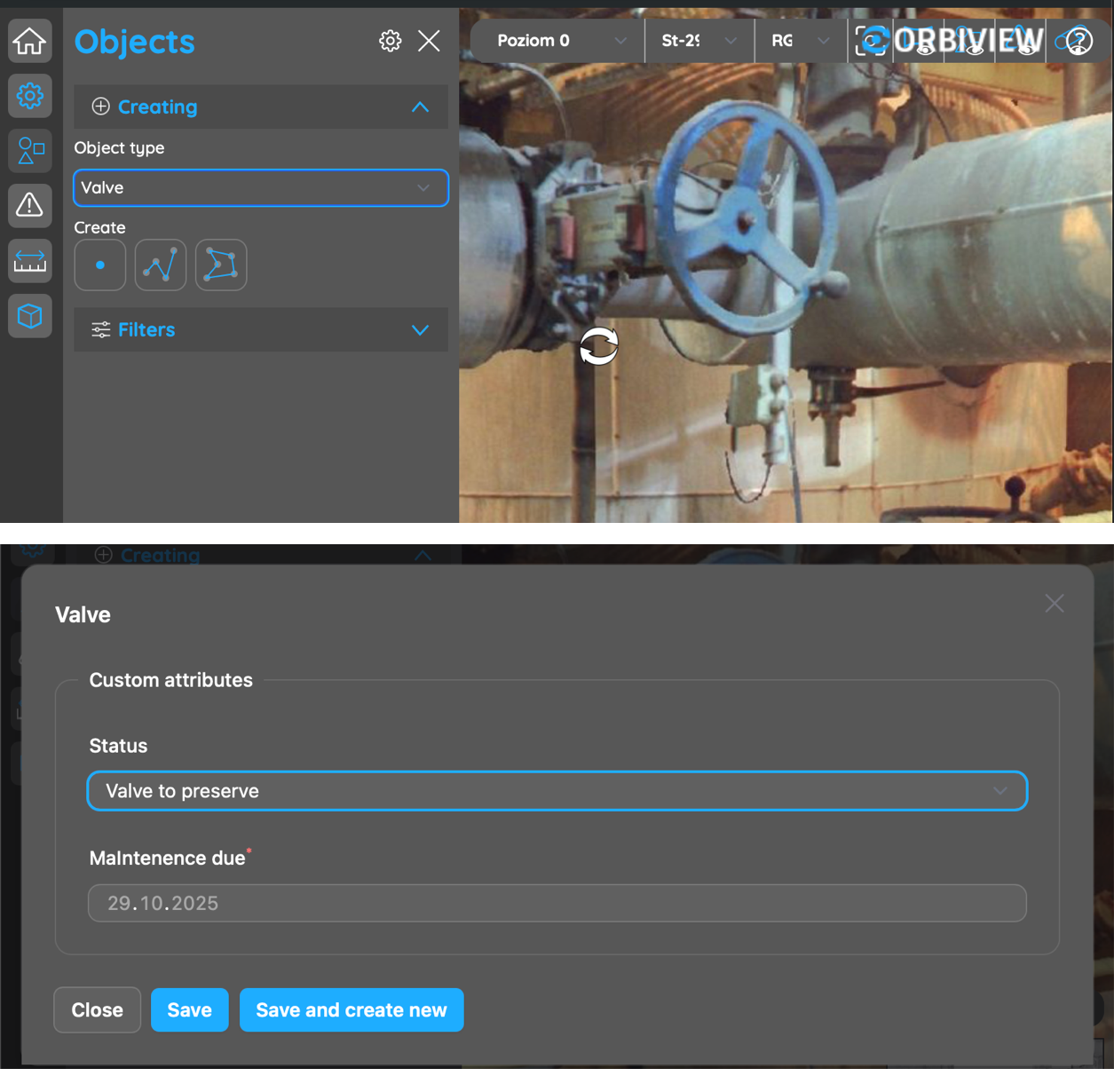
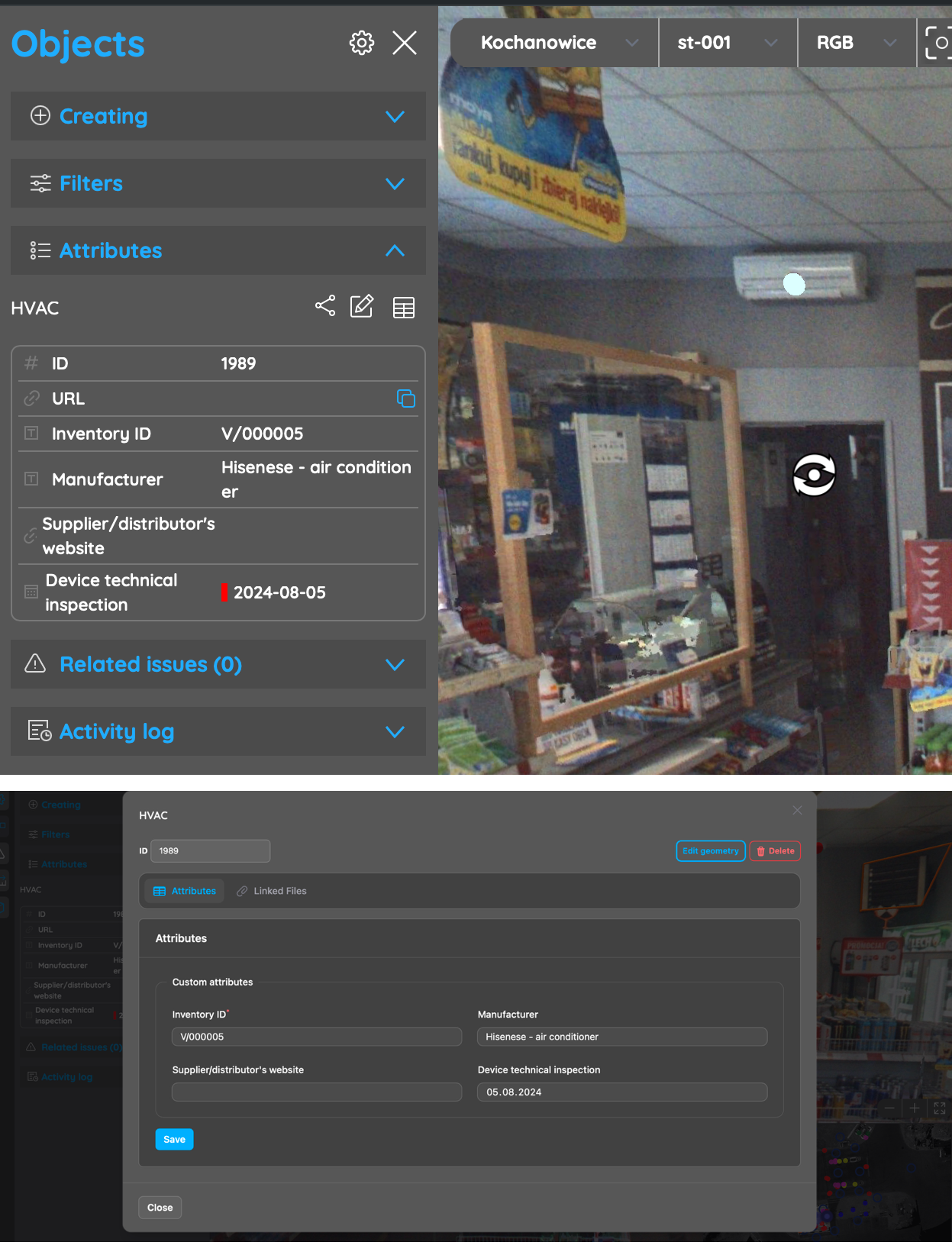
OrbiView allows physical building elements to be represented as digital objects linked directly to their real-world geometry. Assets such as HVAC units, electrical panels, valves, fire safety equipment, or structural elements can be marked directly on panoramas using points, lines, or shapes. Each object is automatically visible in all relevant panoramas.

This survey-based approach ensures consistent asset representation regardless of viewing position, eliminating ambiguity about location or identity. For building management, this improves asset visibility, reduces information loss during staff changes, and creates a reliable foundation for long-term asset tracking and maintenance planning.

9. Custom Asset Database Structure

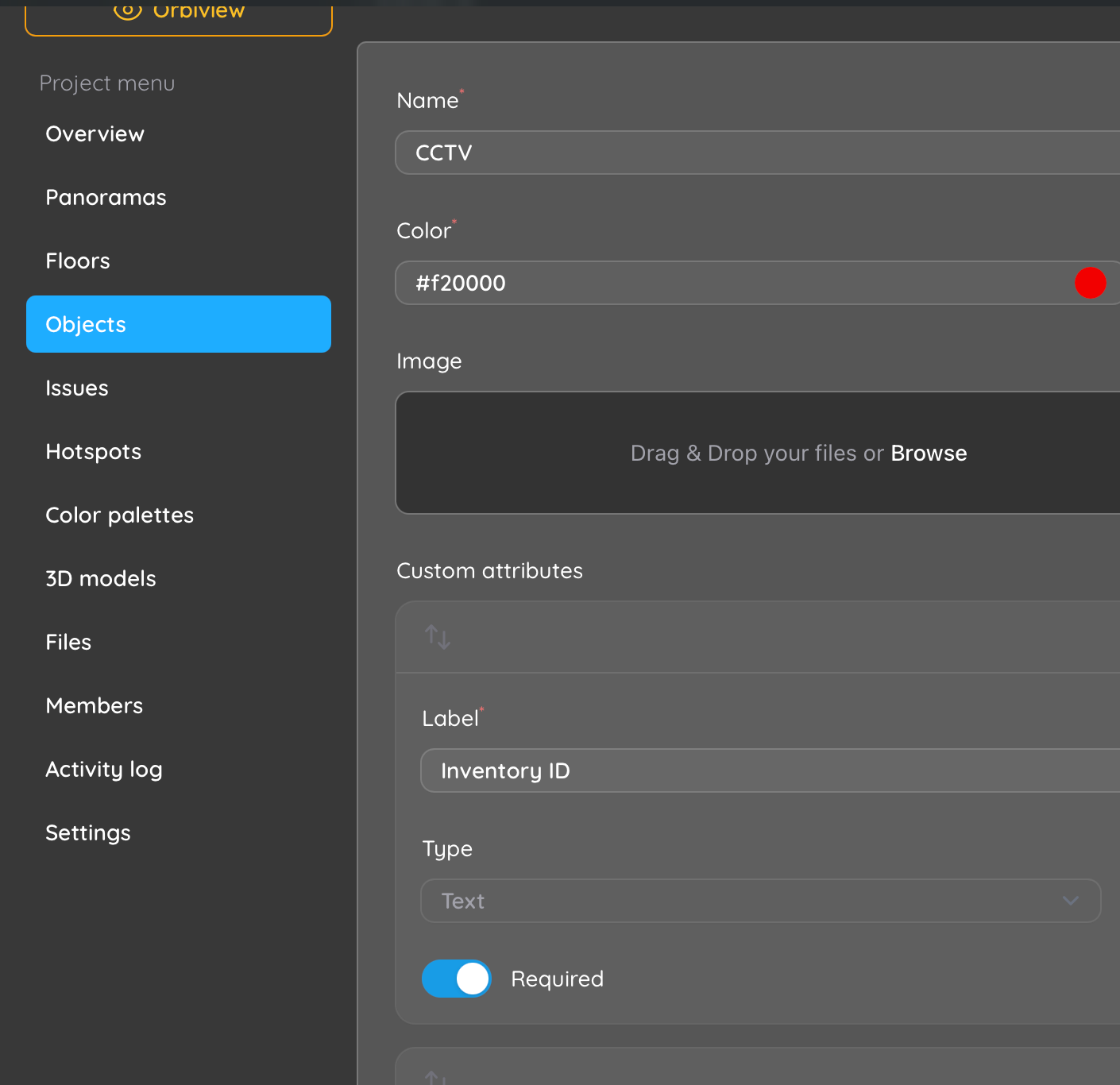
Each object in OrbiView can be enriched with an unlimited number of custom attributes tailored to facility management requirements. Attribute types include text, numeric values, dates, URLs, boolean fields, dropdown lists, and relationships to other objects. This allows organizations to model assets according to internal standards and operational processes.

From a building management perspective, this flexibility enables tracking of maintenance schedules, warranty periods, condition assessments, compliance status, and operational notes without forcing data into rigid BIM schemas. OrbiView adapts to existing FM workflows rather than requiring organizations to adapt their processes to the software.

10. Tabular view and Reporting

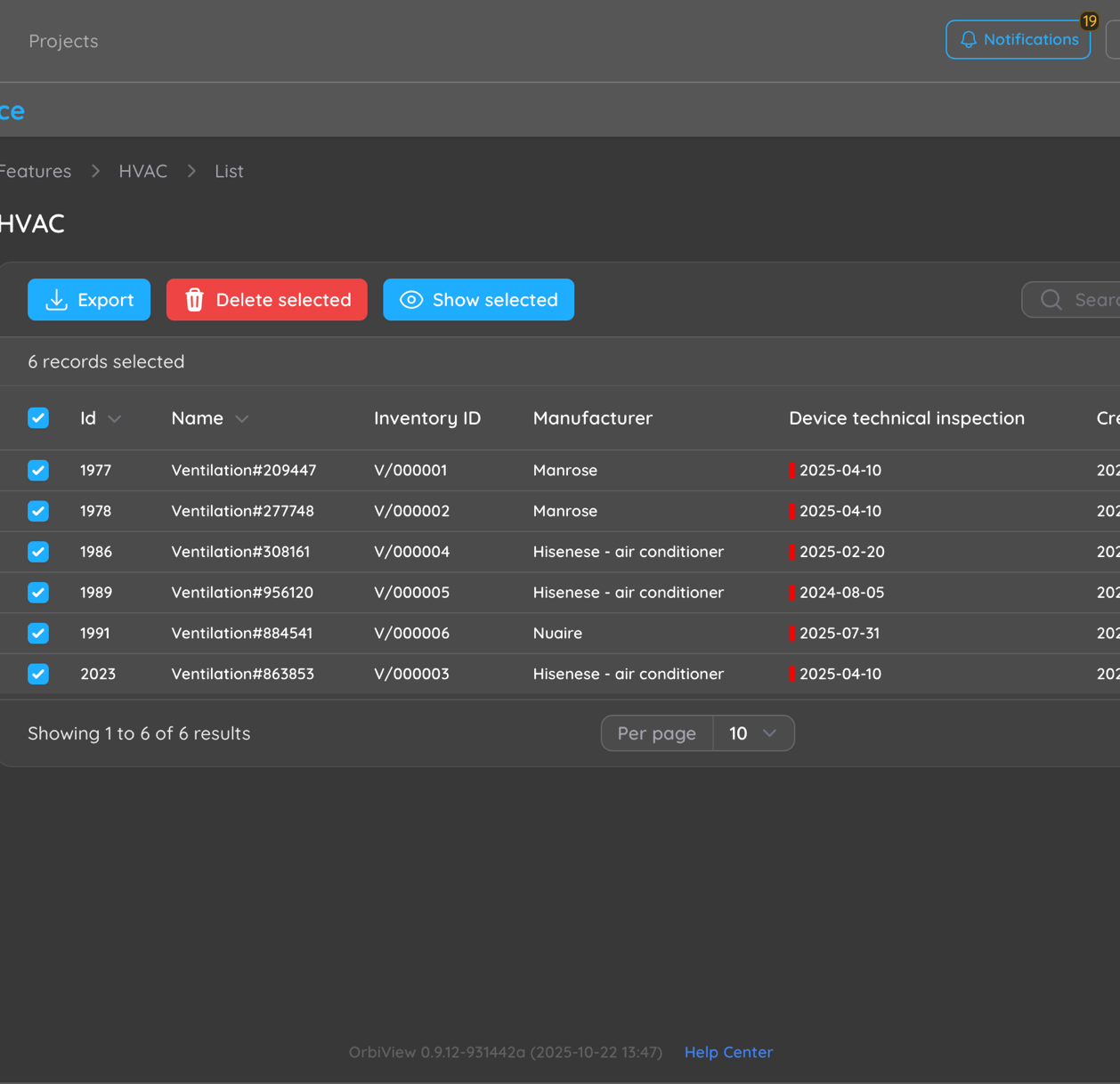
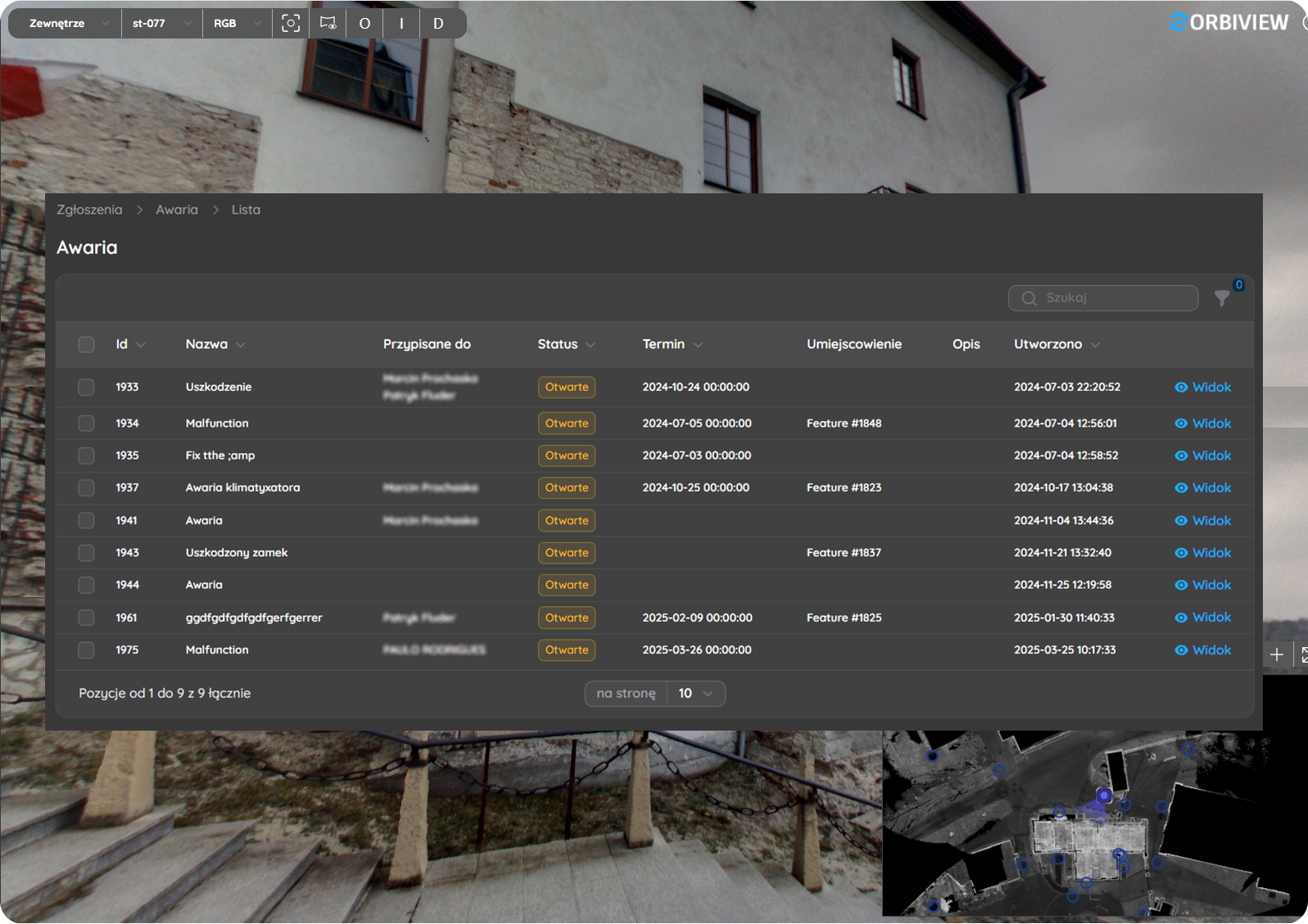
In addition to visual navigation, OrbiView provides structured table views that display assets and their attributes in a clear, data-driven format. Facility managers can filter, review, and export this data to Excel for reporting, audits, budgeting, lifecycle planning, or integration with other systems.

The direct link between table entries and visual asset locations significantly improves clarity and reduces misinterpretation. Decision-makers can move seamlessly between high-level overviews and detailed spatial context, improving confidence in planning, prioritization, and resource allocation.

11. Editing and Data Maintenance

OrbiView supports continuous updating of asset data and geometry by authorized users. As buildings evolve through renovations, equipment replacements, or space reconfigurations, documentation can be updated immediately to reflect current conditions. This prevents documentation from becoming outdated or unreliable.

For facility management, this capability protects the long-term value of digital building data. It ensures that reality-capture information remains relevant beyond the initial survey and continues to support operations, maintenance, and future planning throughout the building lifecycle.

12. Linked Documentation and File Management
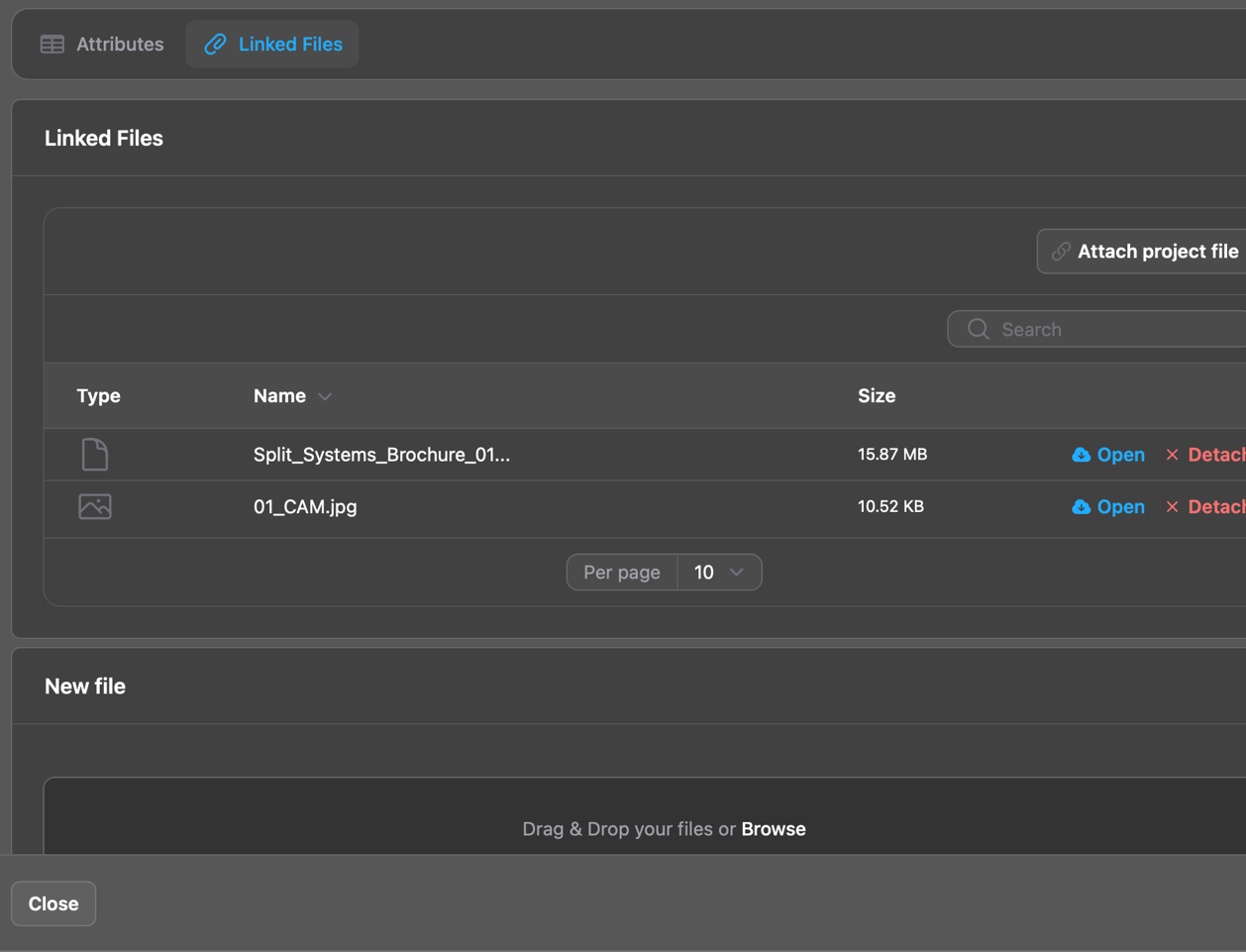
The platform allows external files—such as manuals, inspection reports, certificates, photographs, and drawings—to be linked directly to assets or issues. Files can be stored as shared project library documents or as object-specific attachments, reducing duplication and simplifying document control.

This centralized, context-aware documentation approach ensures that facility teams always have access to the right information at the right location. It supports maintenance execution, compliance audits, and knowledge transfer while reducing time spent searching across disconnected systems.

13. Issue Management and Condition Tracking
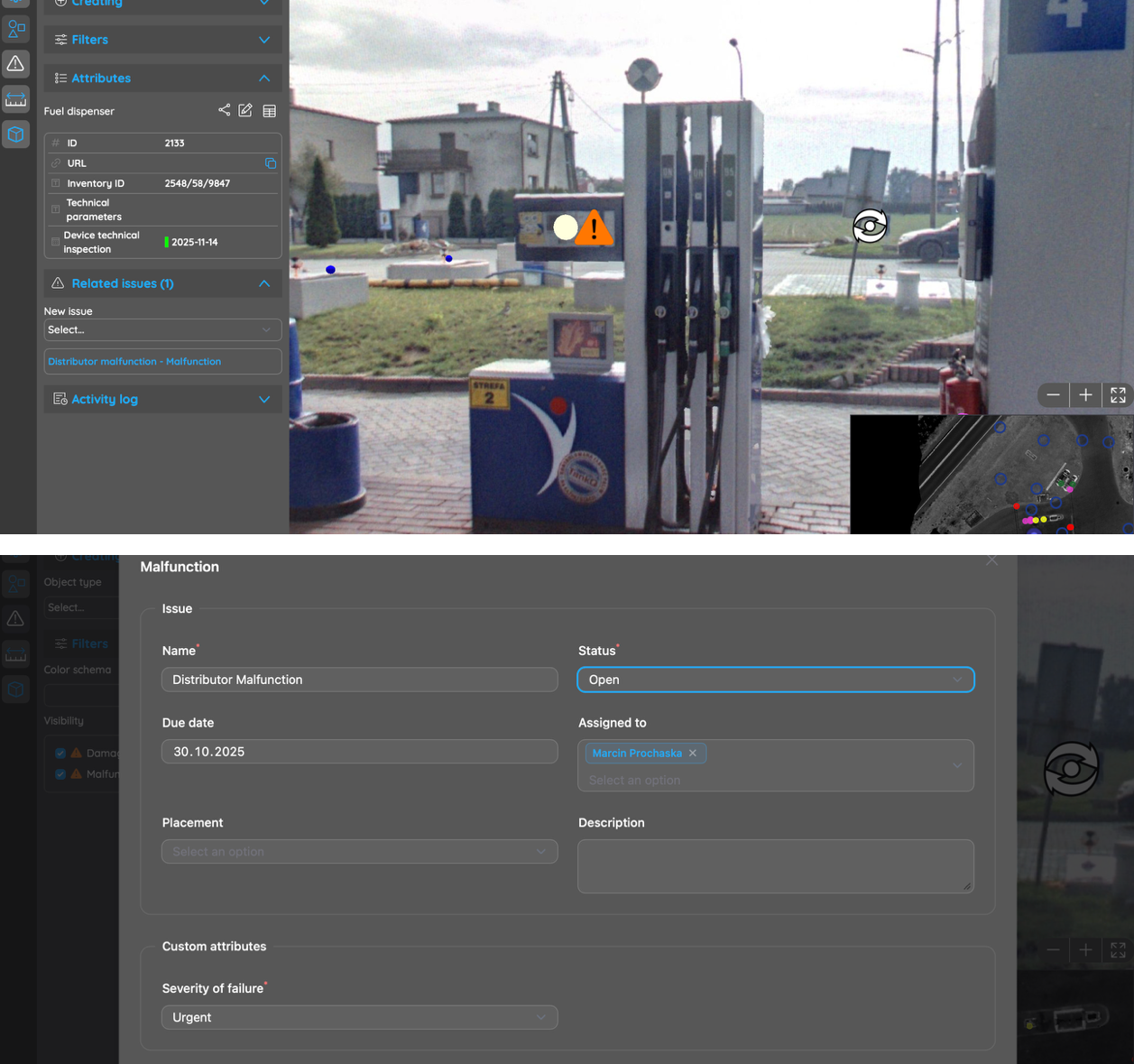
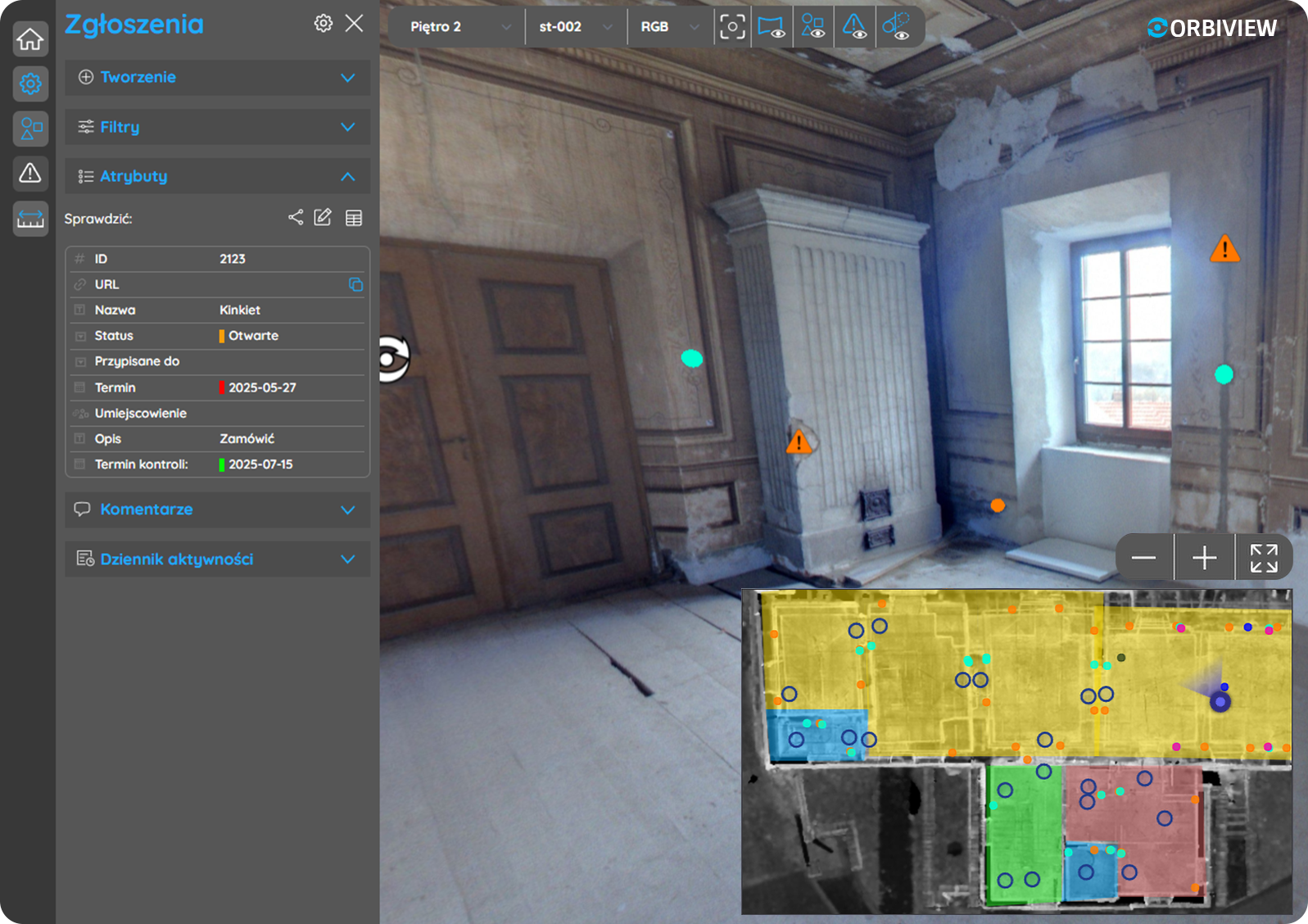
OrbiView includes an integrated issue management system for documenting defects, damages, and maintenance needs directly within the visual building context. Issues can be attached to specific assets or placed freely within panoramas to mark exact locations.

For building management, this visual issue tracking improves clarity, prioritization, and communication. Over time, accumulated issue data supports condition monitoring, trend analysis, and more proactive maintenance strategies, helping reduce unplanned downtime and extend asset lifespan.

14. Issue Assignment, Communication, and Notifications
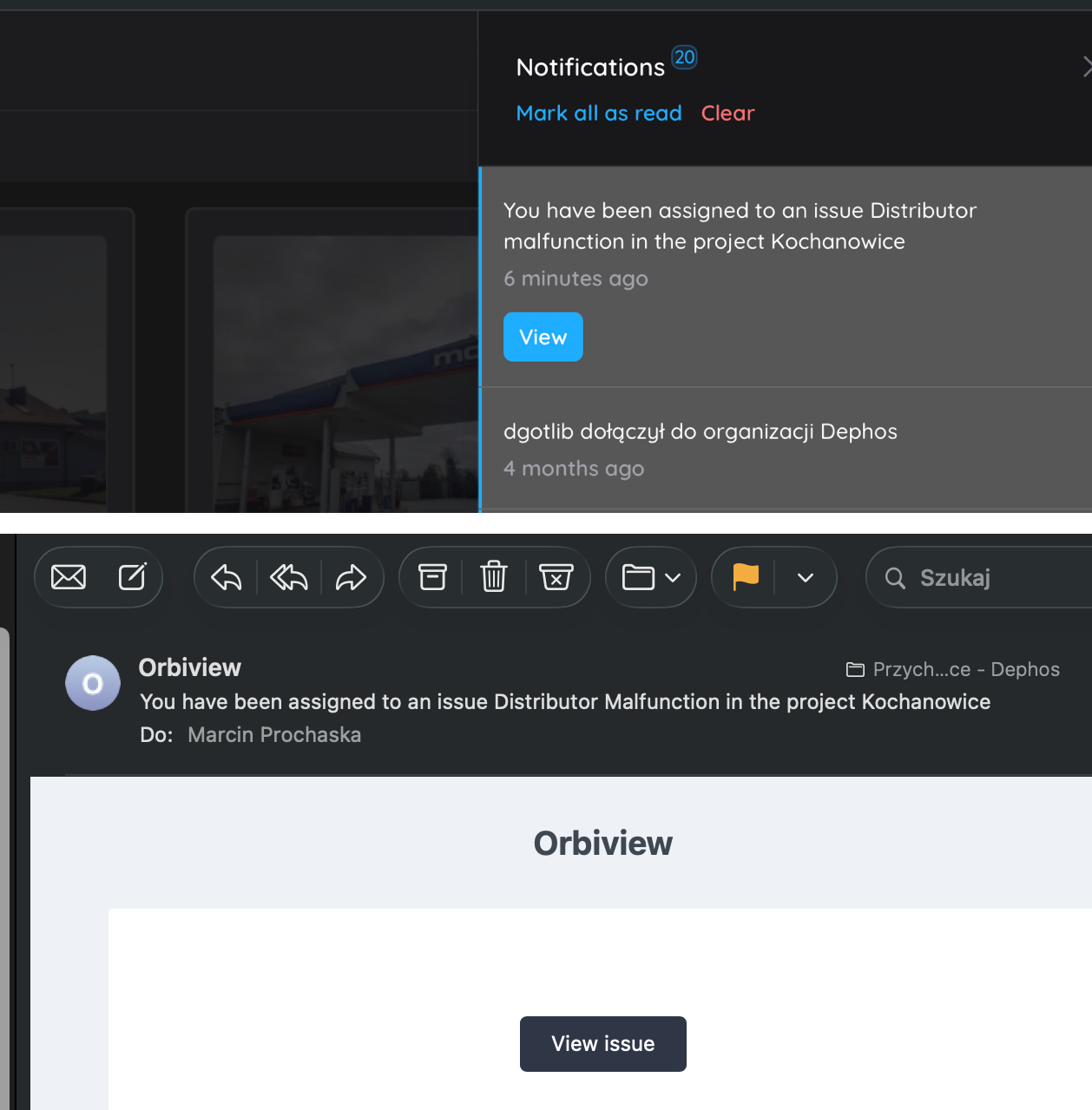
Issues in OrbiView can be assigned to one or more users, including internal maintenance teams or external contractors. Assigned users receive automated notifications via the platform and email, each containing a direct link to the issue and its visual context.

This reduces misunderstandings, shortens response times, and improves coordination across teams. For facility managers, it provides a transparent workflow from issue identification through resolution, supporting service quality monitoring and accountability.

15. 3D Model Integration

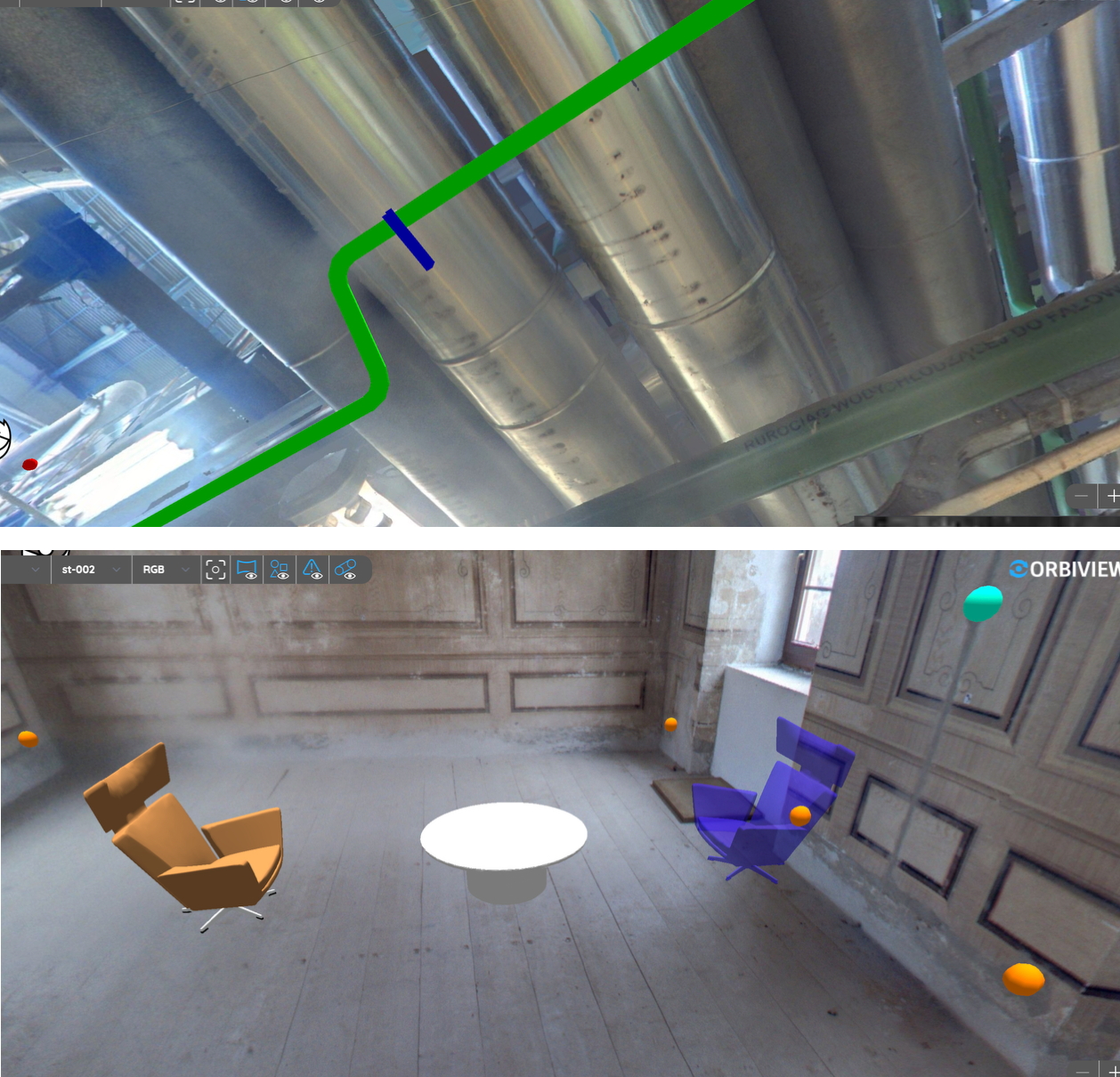
OrbiView supports the placement of 3D models directly into existing panoramas to visualize planned installations, modifications, or design concepts. Models can be positioned using fixed coordinates or interactively aligned within the visual environment.

This capability allows facility managers and stakeholders to assess feasibility, accessibility, and spatial impact before implementation. It supports informed planning decisions without requiring full BIM model creation, reducing cost and complexity while maintaining spatial awareness.

16. Deployment Options and System Integration
The platform can be deployed as a SaaS solution, hosted on third-party cloud infrastructure, or installed locally on client servers to meet data security and IT governance requirements. This flexibility makes OrbiView suitable for public-sector organizations, private enterprises, and critical infrastructure operators.

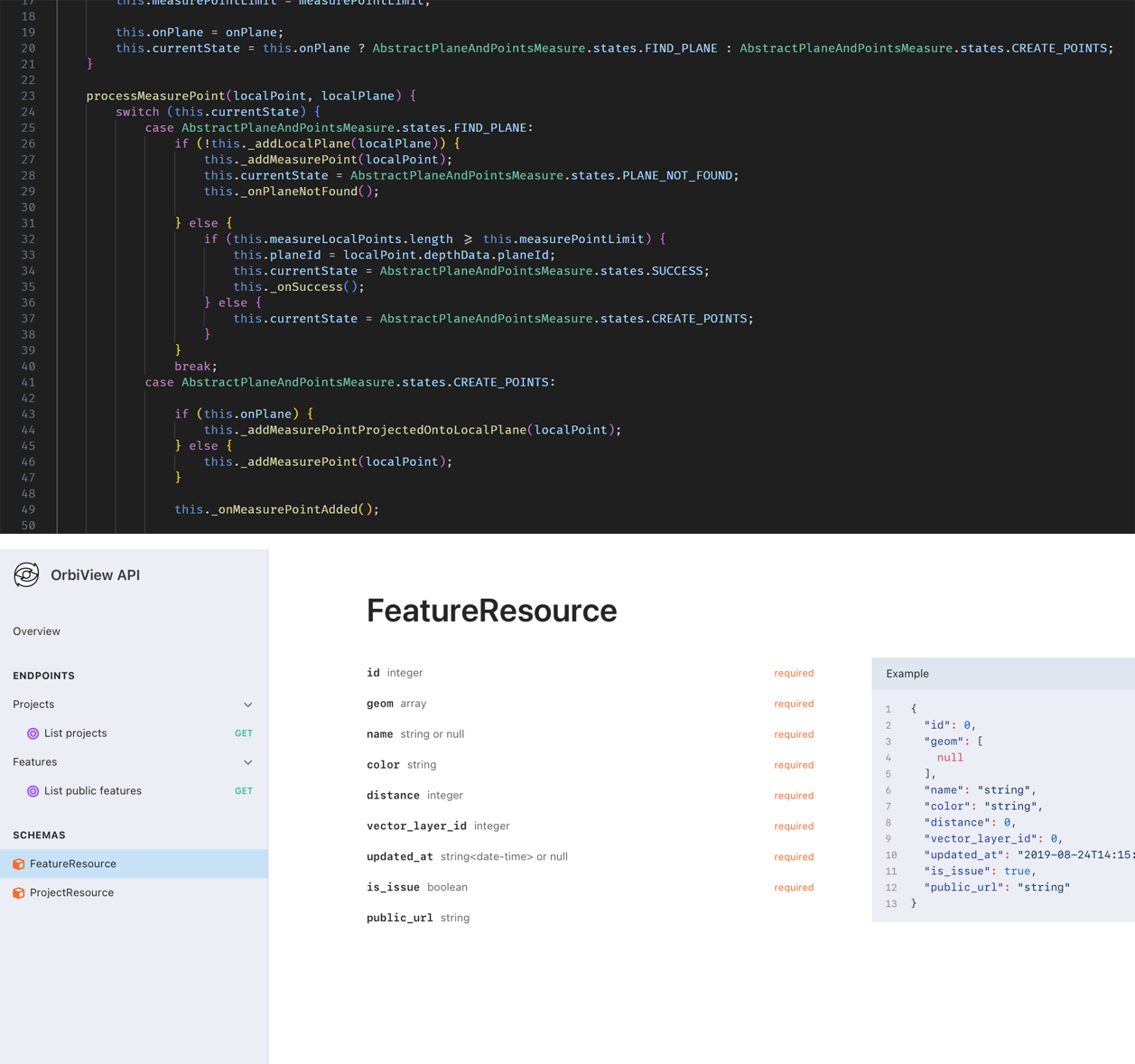
API access enables integration with CAFM, CMMS, and other enterprise systems, ensuring OrbiView complements existing building management ecosystems. As a fully in-house solution, it can be customized and extended to support specific operational needs and workflows.

17. OrbiView in Relation to BIM


OrbiView

BIM

Data source

3D laser scans, 360o panoramas

3D laser scan, 2D documentation

Data preparation

Automatic data processing

Labor intensive modeling necessary to achieve acceptable results

Ease of use 

Images are easy to understand for non-professionals

Requires deep knowledge of BIM environment

LOD

Unlimited Level of Details, every object is visible in natural shape and color

Higher LOD requires increase of modeling time

User defined database 

YES

YES

Information

Information can be attached to any object on a picture

Information can be attached to the previously modelled items only

Issue tracking

Issues can be attached to specific object or freely placed on an image

Issues can be attached only to previously modelled objects

Costs

LOW: Data capture and system hosting only

HIGH: Data capture, modelling and system hosting


Contact